> ## Documentation Index
> Fetch the complete documentation index at: https://docs.cloneable.ai/llms.txt
> Use this file to discover all available pages before exploring further.
# Example app
> Use the example app to learn the Cloneable SDK
## Overview
The open source example app demonstrates a complete Cloneable SDK integration.
Open the repository:
## Requirements
To run the app, you need:
* A Cloneable account to authenticate with the SDK.
* Xcode 15 or later
* Swift 5.9 or later
* A device running iOS 17 or later.
## Clone the app
Clone the repository:
```sh theme={null}
git clone git@github.com:Cloneable-Inc/Cloneable-Example-iOS-App.git
```
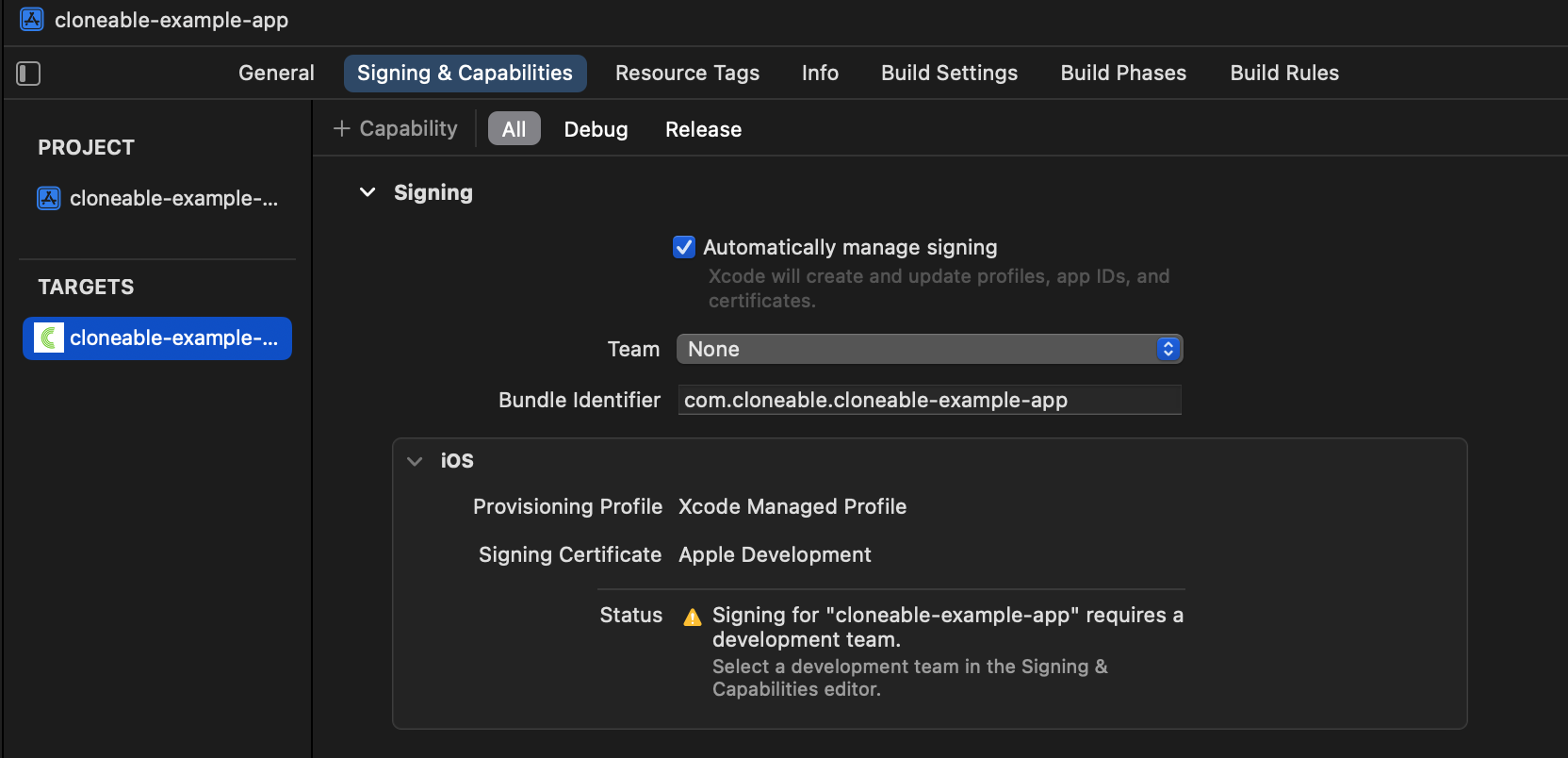
## Configure signing and capabilities
In Xcode, select your team for the target's signing settings:
 ## Resolve dependencies
Wait for the Cloneable SDK dependency to download and resolve. The package is approximately 1 GB.
## Resolve dependencies
Wait for the Cloneable SDK dependency to download and resolve. The package is approximately 1 GB.
 ## Build and run the app
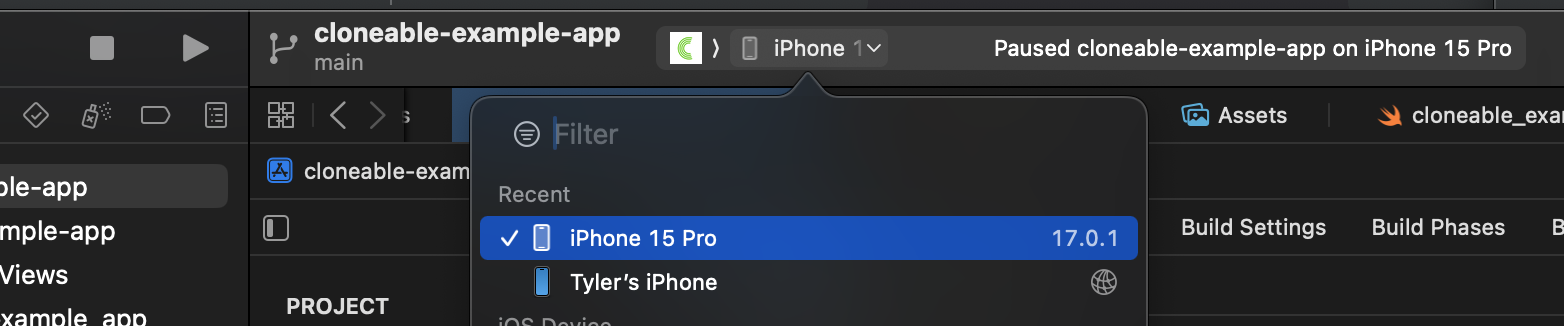
Set the deployment target to a simulator or device running iOS 17 or later. Build and run the app with `CMD + R` or the **Run** button:
## Build and run the app
Set the deployment target to a simulator or device running iOS 17 or later. Build and run the app with `CMD + R` or the **Run** button:
 ## Log in and run a workflow
The SDK shows a built-in sign-in interface. After you sign in, it shows workflows in your Cloneable account.
This documentation is built and hosted on [Mintlify](https://mintlify.com), a developer documentation platform.
## Log in and run a workflow
The SDK shows a built-in sign-in interface. After you sign in, it shows workflows in your Cloneable account.
This documentation is built and hosted on [Mintlify](https://mintlify.com), a developer documentation platform.