> ## Documentation Index
> Fetch the complete documentation index at: https://docs.cloneable.ai/llms.txt
> Use this file to discover all available pages before exploring further.
# Export a job
> Download a job as KMZ, GeoJSON, CSV or PDF, or send it to Katapult
You can export any job from the map.
1. Open the job on the map.
2. Click **Export data** in the map toolbar. To export only some objects, select them first and use **Export…** instead.
3. Choose a format.
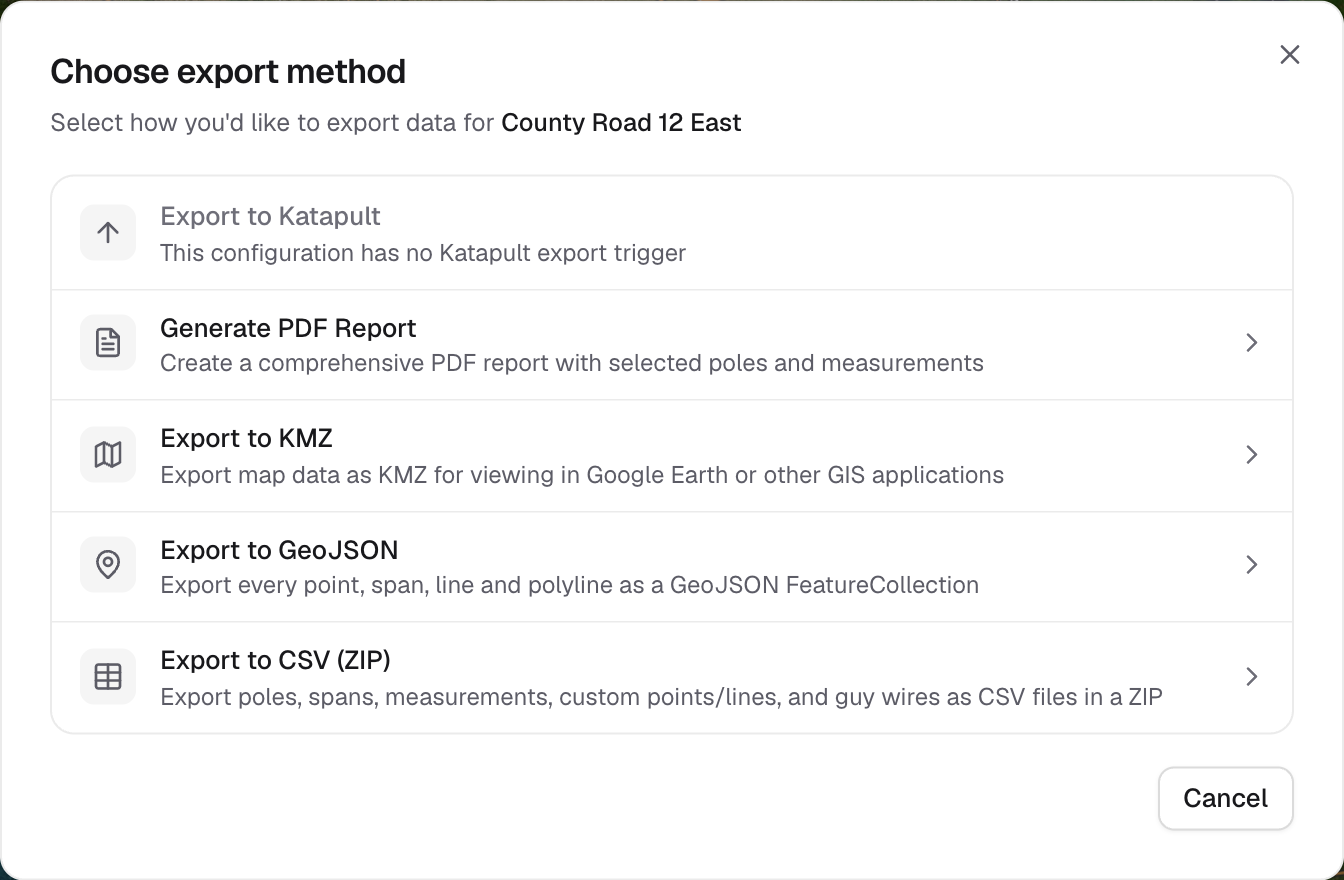 A format that can't run for this job is greyed out, with the reason in place of its description.
## Which format?
| You want | Use | What you get |
| - | - | - |
| To view the job in Google Earth, or send it to a client | [KMZ](/guides/exports/kmz) | A `.kmz` with icons, pole labels, click-for-details popups and, optionally, photos |
| To load the job into GIS software | [GeoJSON](/guides/exports/geojson) | One `.geojson` with every point and line, and each object's fields |
| A spreadsheet | [CSV](/guides/exports/csv) | A ZIP of CSVs (poles, spans, guy wires and more) or one combined CSV |
| A report to hand over | [PDF](/guides/exports/pdf) | A PDF per pole or point, with measurements, maps and photos |
| To send results back to Katapult | [Katapult](/guides/integrations/katapult#4-export-to-katapult) | Updates in your Katapult job |
## Before you export
If crews' phones haven't finished uploading, the dialog shows **Files still syncing**. Ask crews to open the Cloneable app and let it finish syncing first, or the export may be missing photos.
* **Not every format holds everything.** PDF has no pages for spans or polylines, CSV leaves out polylines, and GeoJSON exports guy wires as their anchor point only. Each dialog says what will be left out.
* **File exports happen in your browser** and download straight away. Large jobs with photos can take a few minutes, so keep the tab open.
This documentation is built and hosted on [Mintlify](https://mintlify.com), a developer documentation platform.
A format that can't run for this job is greyed out, with the reason in place of its description.
## Which format?
| You want | Use | What you get |
| - | - | - |
| To view the job in Google Earth, or send it to a client | [KMZ](/guides/exports/kmz) | A `.kmz` with icons, pole labels, click-for-details popups and, optionally, photos |
| To load the job into GIS software | [GeoJSON](/guides/exports/geojson) | One `.geojson` with every point and line, and each object's fields |
| A spreadsheet | [CSV](/guides/exports/csv) | A ZIP of CSVs (poles, spans, guy wires and more) or one combined CSV |
| A report to hand over | [PDF](/guides/exports/pdf) | A PDF per pole or point, with measurements, maps and photos |
| To send results back to Katapult | [Katapult](/guides/integrations/katapult#4-export-to-katapult) | Updates in your Katapult job |
## Before you export
If crews' phones haven't finished uploading, the dialog shows **Files still syncing**. Ask crews to open the Cloneable app and let it finish syncing first, or the export may be missing photos.
* **Not every format holds everything.** PDF has no pages for spans or polylines, CSV leaves out polylines, and GeoJSON exports guy wires as their anchor point only. Each dialog says what will be left out.
* **File exports happen in your browser** and download straight away. Large jobs with photos can take a few minutes, so keep the tab open.
This documentation is built and hosted on [Mintlify](https://mintlify.com), a developer documentation platform.