> ## Documentation Index
> Fetch the complete documentation index at: https://docs.cloneable.ai/llms.txt
> Use this file to discover all available pages before exploring further.
# Export to CSV
> Spreadsheets of a job's poles, spans, attachments and more
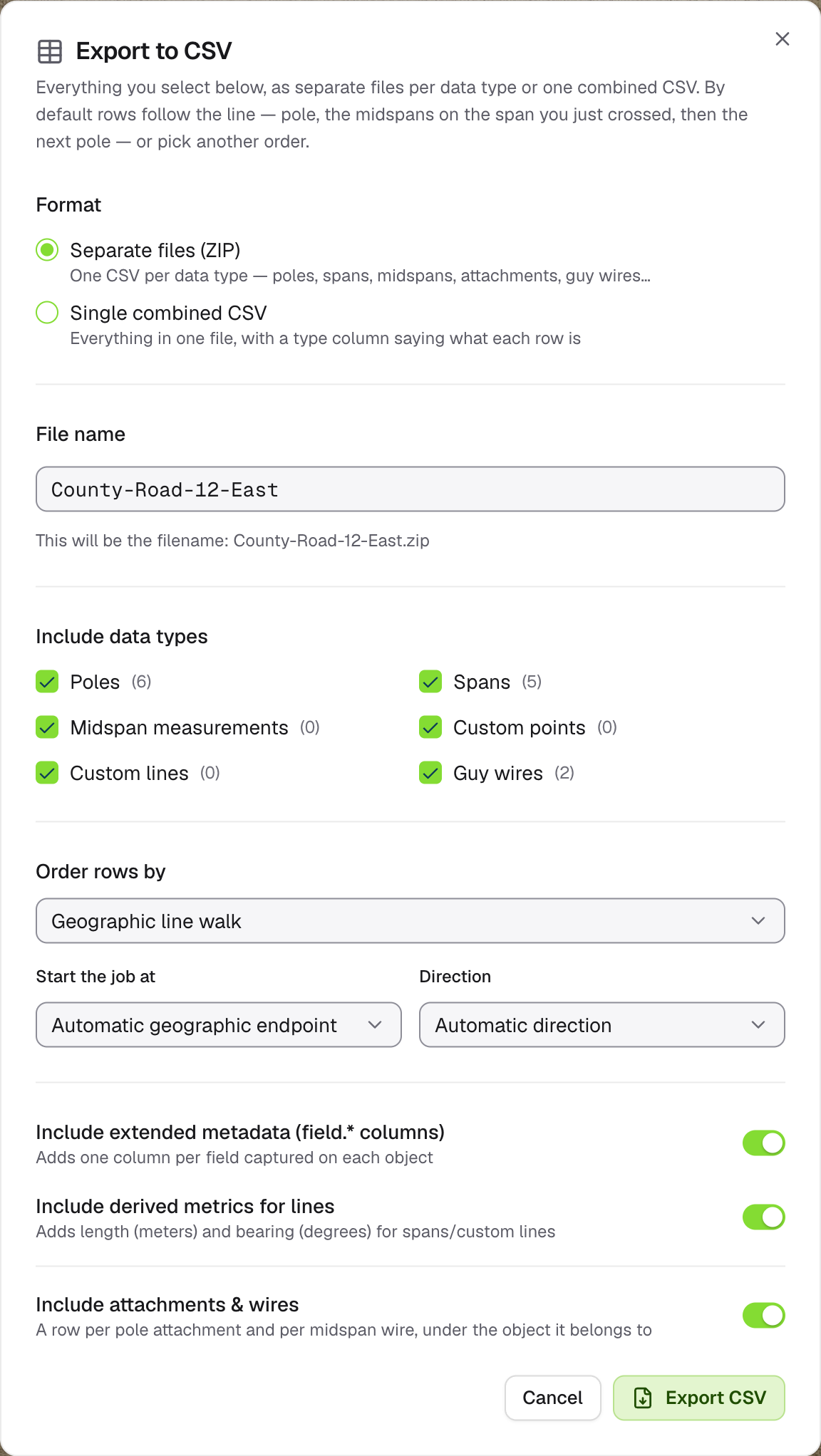
The CSV export gives you a job as spreadsheets: one file per kind of object in a ZIP, or one combined file.
Open the job on the map, click **Export data** and choose **Export to CSV (ZIP)**.
 ## Format
| Choice | You get |
| - | - |
| **Separate files (ZIP)** (default) | `poles.csv`, `spans.csv`, `span_measurements.csv`, `attachments.csv`, `guy_wires.csv`, `custom_points.csv` and `custom_lines.csv`, leaving out any that would be empty |
| **Single combined CSV** | One file, with a `type` column saying what each row is and a `parent_id` linking rows to their object |
## Options
* **Include data types**: tick the kinds of object to include. All are ticked by default.
* **Order rows by**:
* **Geographic line walk** (default): rows follow the line, pole by pole, with each span's midspans after it. Choose where to start and which direction to go, or leave both on automatic.
* **Data object field**: sort by any field, ascending or descending.
* **Captured date**: oldest or newest first.
* **Include extended metadata**: one column per field captured on each object. On by default.
* **Include derived metrics for lines**: length in metres and bearing in degrees for spans and custom lines. On by default.
* **Include attachments & wires**: a row per pole attachment and per midspan wire. On by default.
Every ID column has a matching label column, so the spreadsheet is readable without looking IDs up. Locations are in `latitude` and `longitude` columns.
Click **Export CSV**. A progress window shows the steps, then the file downloads.
Polylines aren't included in CSV exports. The dialog warns you when a job has them. Use [GeoJSON](/guides/exports/geojson) or [KMZ](/guides/exports/kmz) for those.
This documentation is built and hosted on [Mintlify](https://mintlify.com), a developer documentation platform.
## Format
| Choice | You get |
| - | - |
| **Separate files (ZIP)** (default) | `poles.csv`, `spans.csv`, `span_measurements.csv`, `attachments.csv`, `guy_wires.csv`, `custom_points.csv` and `custom_lines.csv`, leaving out any that would be empty |
| **Single combined CSV** | One file, with a `type` column saying what each row is and a `parent_id` linking rows to their object |
## Options
* **Include data types**: tick the kinds of object to include. All are ticked by default.
* **Order rows by**:
* **Geographic line walk** (default): rows follow the line, pole by pole, with each span's midspans after it. Choose where to start and which direction to go, or leave both on automatic.
* **Data object field**: sort by any field, ascending or descending.
* **Captured date**: oldest or newest first.
* **Include extended metadata**: one column per field captured on each object. On by default.
* **Include derived metrics for lines**: length in metres and bearing in degrees for spans and custom lines. On by default.
* **Include attachments & wires**: a row per pole attachment and per midspan wire. On by default.
Every ID column has a matching label column, so the spreadsheet is readable without looking IDs up. Locations are in `latitude` and `longitude` columns.
Click **Export CSV**. A progress window shows the steps, then the file downloads.
Polylines aren't included in CSV exports. The dialog warns you when a job has them. Use [GeoJSON](/guides/exports/geojson) or [KMZ](/guides/exports/kmz) for those.
This documentation is built and hosted on [Mintlify](https://mintlify.com), a developer documentation platform.