> ## Documentation Index
> Fetch the complete documentation index at: https://docs.cloneable.ai/llms.txt
> Use this file to discover all available pages before exploring further.
# Export to GeoJSON
> One GeoJSON file with every point and line in a job, for GIS software
GeoJSON is a standard format GIS software reads directly. The export is one FeatureCollection, in latitude and longitude:
* **Points**: poles, midspan measurements, custom points and guy anchors.
* **Lines**: spans, custom lines and polylines.
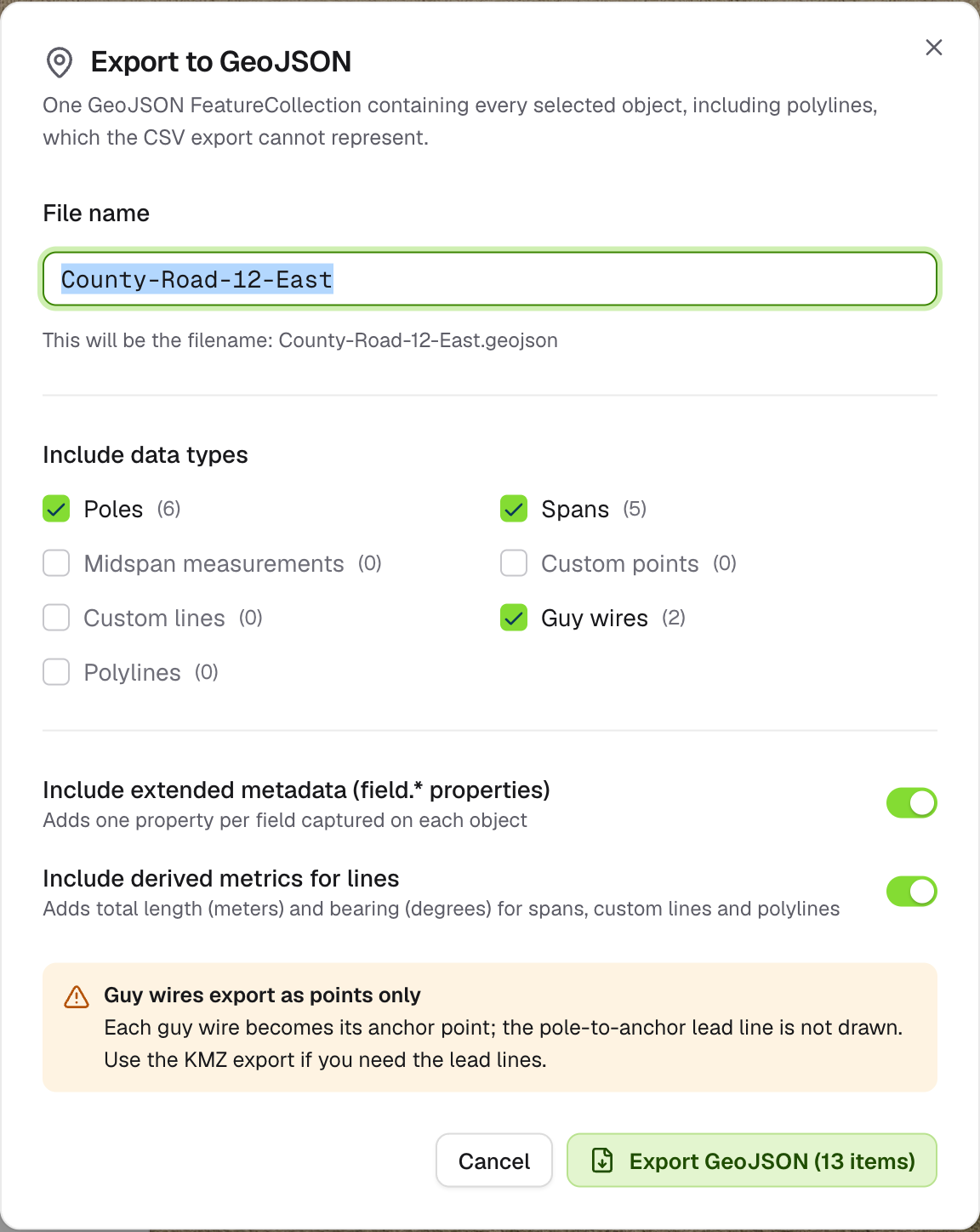
Open the job on the map, click **Export data** and choose **Export to GeoJSON**.
 ## Options
| Option | What it does | Default |
| - | - | - |
| **File name** | Saved as `.geojson` | The job name |
| **Include data types** | Poles, spans, midspan measurements, custom points, custom lines, guy wires and polylines. Types the job doesn't have are greyed out. | All |
| **Include extended metadata** | Adds every field captured on each object as a property | On |
| **Include derived metrics for lines** | Adds length in metres and bearing in degrees for spans, custom lines and polylines | On |
Click **Export GeoJSON**. The file downloads straight away.
## What's left out
* **Guy wires export as their anchor point only.** The lead line from pole to anchor isn't drawn. Use [KMZ](/guides/exports/kmz) if you need lead lines.
* **Objects without a usable location** are left out, and you'll see "GeoJSON exported with N omissions". A line is never drawn with a missing end.
This documentation is built and hosted on [Mintlify](https://mintlify.com), a developer documentation platform.
## Options
| Option | What it does | Default |
| - | - | - |
| **File name** | Saved as `.geojson` | The job name |
| **Include data types** | Poles, spans, midspan measurements, custom points, custom lines, guy wires and polylines. Types the job doesn't have are greyed out. | All |
| **Include extended metadata** | Adds every field captured on each object as a property | On |
| **Include derived metrics for lines** | Adds length in metres and bearing in degrees for spans, custom lines and polylines | On |
Click **Export GeoJSON**. The file downloads straight away.
## What's left out
* **Guy wires export as their anchor point only.** The lead line from pole to anchor isn't drawn. Use [KMZ](/guides/exports/kmz) if you need lead lines.
* **Objects without a usable location** are left out, and you'll see "GeoJSON exported with N omissions". A line is never drawn with a missing end.
This documentation is built and hosted on [Mintlify](https://mintlify.com), a developer documentation platform.